Quick Guide
- What Exactly Is a Car Infotainment System? (It's More Than Just a Screen)
- Must-Have Features in a Modern Infotainment System
- How to Choose the Right Infotainment System For You
- Upgrading Your Current Car's System
- Common Problems & How to Troubleshoot Them
- Looking Ahead: What's Next for Car Infotainment?
Remember when a great car stereo meant a CD player with decent bass? Yeah, me too. Things have changed. Now, the centerpiece of your car's interior isn't the gear stick or the steering wheel—it's that big, shiny screen in the middle of the dashboard. That's your car infotainment system. And honestly, it can make or break your driving experience.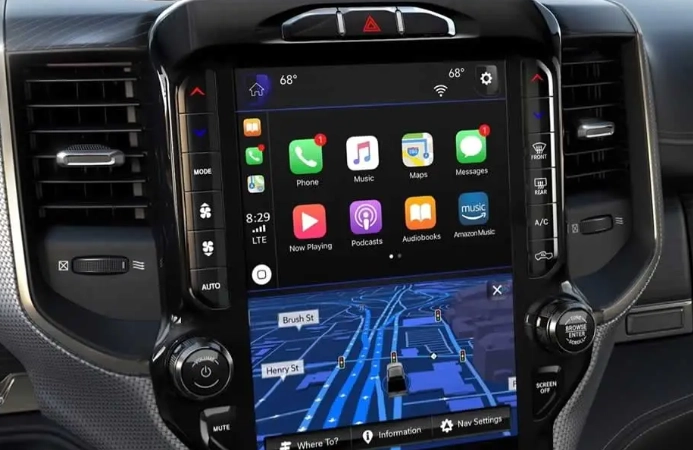
I've rented cars with systems so clunky I wanted to pull over and use my phone mounted on the windshield instead. I've also driven cars where the infotainment system felt seamless, intuitive, and genuinely added to the journey. The difference is massive. So let's talk about what these systems really are, what they do, and how to pick one that won't drive you crazy. This isn't about tech specs for the sake of it; it's about finding a system that works for you, not against you.
What Exactly Is a Car Infotainment System? (It's More Than Just a Screen)
At its core, a modern car infotainment system is the brain of your car's cabin. It's the hub that manages your entertainment (info-tainment, get it?), navigation, communication, and often, a growing list of vehicle settings and controls. It's the reason you can ask your car for directions to the nearest coffee shop, have it read your texts aloud, and stream a podcast, all without touching your phone. A good system integrates these functions. A bad one just slaps a tablet on the dash and calls it a day.
The Key Components You'll Interact With
Every system has a few basic parts, though their quality varies wildly.
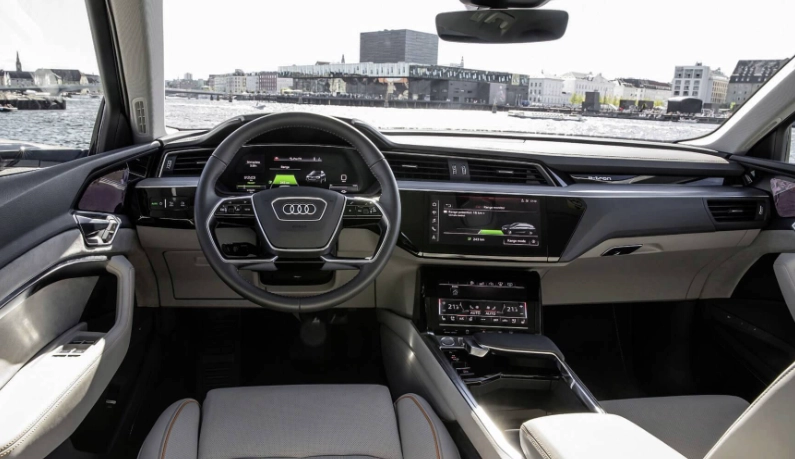
- The Display: This is the most obvious part. Sizes now range from 8 inches to massive, Tesla-style landscapes that seem to stretch across the whole dashboard. But size isn't everything. Resolution, brightness (for fighting glare), and whether it's a glossy or matte finish matter just as much. A huge, glossy screen that turns into a mirror in the sun is a design fail.
- The Processor & Software: This is the heart you don't see. This is what determines if the screen responds instantly to your touch or lags like a budget smartphone from 2012. Slow processors are the number one cause of infotainment rage.
- Input Methods: How do you tell it what to do? Touchscreen is standard, but physical knobs and buttons for volume and climate control are making a welcome comeback. Some luxury brands use touchpads or even gesture controls (which, in my experience, are often more gimmicky than useful). Voice control is the final piece, and its usefulness depends entirely on how well it understands natural speech.
- Audio System: It's called infotainment for a reason. The system is the gateway to your speakers. Whether it's a basic setup or a branded one like Bose or Burmester, the infotainment unit decodes the audio signal. A great audio system paired with a lousy head unit will still sound lousy.
Must-Have Features in a Modern Infotainment System
With so many bells and whistles advertised, what features actually improve your daily drive? Let's cut through the marketing.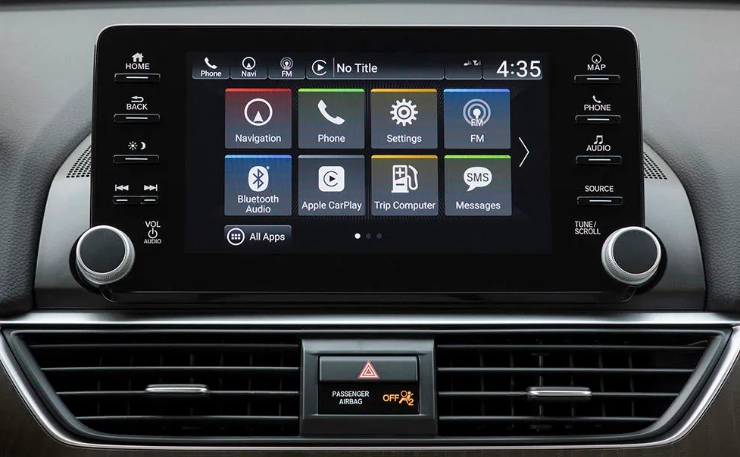
Smartphone Integration: The Non-Negotiable
If the system doesn't have Apple CarPlay and Android Auto, I'd seriously reconsider the car. I'm not joking. These platforms project a simplified, driver-safe version of your phone's interface onto the car's screen. Why is this so important?
- You use the apps you already know and love (Google Maps, Waze, Spotify, WhatsApp).
- The interface is updated with your phone's OS, so it gets better over time.
- It's consistent. Once you learn it, it works the same in a Ford, a Honda, or a BMW.
- Some manufacturers implement it poorly, with lag or connection drops.
- A few (notably, some GM models) are moving to subscription-based models for this feature after a trial period, which feels like a cash grab.
- The wireless versions can be finicky with certain phone models.
You can check the official support pages for Apple CarPlay and Android Auto to see compatible car models and app lists. It's a good sanity check before you buy.
Voice Control That Actually Listens
"Call Mom." "Navigate to the airport." "Play The Beatles." A good voice command system should handle these simple requests flawlessly. The best ones, like BMW's iDrive with natural language processing or Mercedes' MBUX, can understand more casual commands like "I'm cold" (and adjust the climate) or "Find me a Chinese restaurant with good reviews." The worst ones require you to speak like a robot using specific menu terms. Test this on a test drive. Say something normal and see if it understands.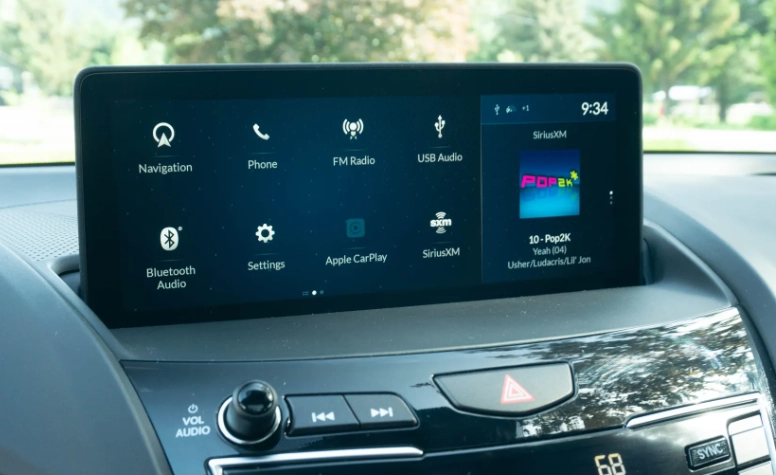
Intuitive Navigation (Even If You Use Your Phone)
Many systems come with built-in navigation. The advantage? It doesn't rely on your phone's cell signal, which is handy in remote areas. Good built-in nav systems (like those from Audi or Volvo) have clean maps, real-time traffic, and can often project directions onto the digital instrument cluster. The downside? They're often expensive to update. For most people, smartphone navigation via CarPlay/Android Auto is the better, more current choice. But a responsive, well-designed built-in system is a nice backup.
Connectivity: Plugs and Wireless Everything
You need power and data. Look for multiple USB-C ports (with enough power to fast-charge a modern phone), and preferably a wireless charging pad that's logically placed. Wireless smartphone mirroring (for CarPlay/Android Auto) is a luxury that quickly becomes a necessity—it's so convenient to just get in and go. A strong, integrated Wi-Fi hotspot is also great for passengers.
A feature checklist is useless if the system is slow to boot up or frustrating to use.
How to Choose the Right Infotainment System For You
This is where theory meets the road. You're not buying specs; you're buying an experience. Here’s a practical framework.
The Test Drive is Your Best Friend
Don't just test the engine; test the screen. When you get in the car on a test drive, do this:
- Start the car. How long does it take for the screen to be fully responsive? If it's more than 10-15 seconds, that's a red flag for cold starts.
- Connect your phone. Is it plug-and-play? Does wireless connection work reliably?
- Perform a multi-step task. Try to navigate to a gas station while changing the radio station and adjusting the air conditioning. Does the system keep up? Does it require you to take your eyes off the road for too long?
- Use voice command. Ask for something simple. Does it work, or do you get an error message?
Brand Landscape: Who's Doing It Well (And Who Isn't)
Generalizations are tricky, but here's the current lay of the land based on recent models and widespread user feedback.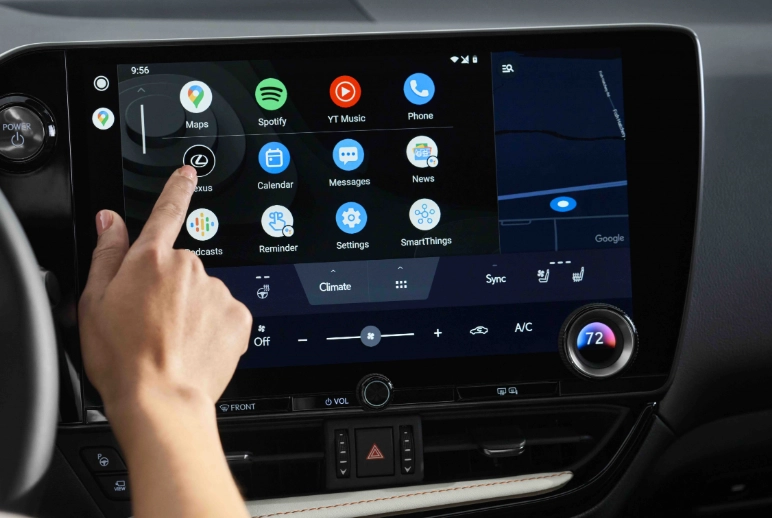
| Brand / System | Strengths | Common Criticisms | Best For |
|---|---|---|---|
| Tesla (Vertical Touchscreen) | Minimalist, futuristic UI. Fast processor. Over-the-air updates that add real features. Excellent integration of car functions (climate, charging, etc.). | No instrument cluster (speed on center screen). Over-reliance on touchscreen for EVERYTHING (even opening the glovebox). Can feel like you're driving an iPad. | Tech enthusiasts who love a clean, digital-first approach. |
| BMW (iDrive 8/9) | Excellent voice control. Crisp graphics. Logical menu structure (once learned). Great digital instrument cluster integration. | Recent move to a nearly button-less, all-touchscreen interface has frustrated long-time BMW fans. Some physical controls are missed. | Drivers who appreciate a driver-focused cockpit and don't mind a learning curve. |
| Mercedes-Benz (MBUX) | Stunning "hyperscreen" option. Very natural voice assistant ("Hey Mercedes"). Strong ambient lighting integration. | The hyperscreen can be visually overwhelming. Some menus are buried. Haptic feedback on the steering wheel buttons can be odd. | Those seeking luxury, ambiance, and cutting-edge display tech. |
| Hyundai / Kia / Genesis | Incredible value. Generally fast, responsive screens. User-friendly layouts. Often include both touchscreen and physical knob/button controls. | Graphics can sometimes look less premium than German rivals. Software updates less frequent. | Anyone wanting a no-fuss, highly capable system without paying a luxury premium. |
| Ford / Lincoln (SYNC 4) | Massively improved over older SYNC versions. Large, responsive screens. Good smartphone integration. | Occasional software bugs reported. Some physical button removal in favor of touch controls. | American car buyers who want a straightforward, capable system. |
| Subaru (Starlink) | Functional and gets the job done. Often includes physical knobs for core functions. | Can feel dated compared to competitors. Graphics and processing speed are often classed as just "adequate." | Buyers who prioritize physical controls and simplicity over flashy tech. |
It's worth looking at long-term reliability surveys from sources like Consumer Reports, which often track infotainment system problems as a major category of complaints. A car can be mechanically sound but plagued by a glitchy screen.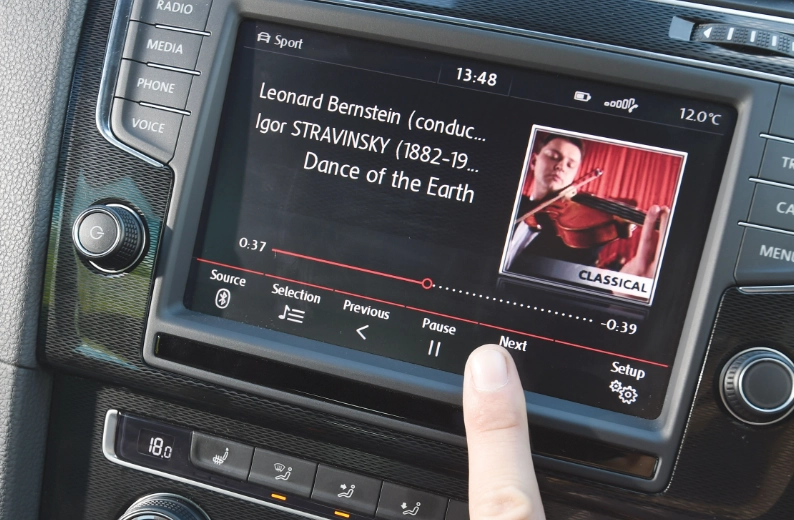
Upgrading Your Current Car's System
Not buying a new car? You can still get a modern infotainment experience. The aftermarket is thriving.
Aftermarket Head Units: A New Lease on Life
Companies like Pioneer, Kenwood, Alpine, and Sony make fantastic double-DIN touchscreen units that you can install in many older cars. The benefits are huge: you get modern Apple CarPlay and Android Auto, better processing power, and often superior sound quality from a new amplifier. The downside? Installation can be complex (often requiring a wiring harness and dash kit), and you might lose integration with some steering wheel controls or vehicle settings unless you buy additional modules.
Portable Solutions: The Simple Fix
If installation sounds like a nightmare, there are clever workarounds. Devices like the Carlinkit adapters can add wireless CarPlay or Android Auto to cars that only have the wired version. Or, you can use a standalone wireless display that mounts to your windshield or dash and connects to your phone. It's not as clean as a built-in system, but it's a fraction of the cost and effort.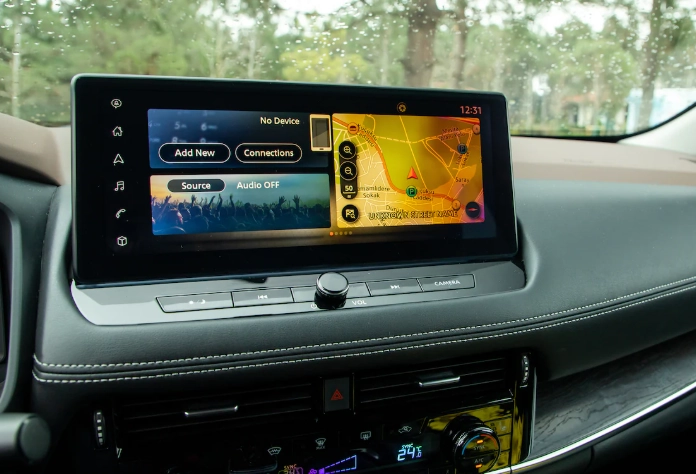
Common Problems & How to Troubleshoot Them
Let's be honest, no system is perfect. Here are the gremlins you might encounter.
The System is Slow or Freezes: This is usually a software issue. First step: perform a reboot. Often, holding down the power/volume button for 10-15 seconds will force a restart, just like a computer. If problems persist, check the manufacturer's website for a software update you can install via USB.
Apple CarPlay / Android Auto Won't Connect: This is the most common gripe. The fix is almost always in this order: 1) Restart your phone. 2) Forget the car from your phone's Bluetooth/CarPlay settings and forget the phone from the car's list. 3) Re-pair everything with a fresh connection. 4) Try a different, high-quality USB cable if using a wired connection.
Voice Commands Don't Work: Ensure you're pressing the button and waiting for the tone. Check the system's language setting matches your spoken language. Some systems require an active data connection for full natural language recognition to work.
The Screen is Unreadable in Sunlight: This is often a hardware design flaw. A matte screen protector can sometimes reduce glare, as can adjusting the screen's angle if possible. Increasing brightness to maximum is the only in-software fix.
Looking Ahead: What's Next for Car Infotainment?
The screen isn't going away, but its role is evolving. We're seeing a push towards even larger, curved, and OLED displays with higher resolutions. More importantly, the systems are becoming more personalized. They'll recognize the driver and automatically load their seat position, climate preferences, and favorite podcasts.
Integration with smart home devices is coming fast—imagine telling your car "head home" and it not only navigates there but also signals your smart thermostat to start warming up the house. The line between the car's system and your personal digital ecosystem is blurring. The ultimate goal for any car infotainment system should be to feel like a helpful, unobtrusive co-pilot, not a distracting piece of technology you have to fight with.
In the end, the best advice is to prioritize usability over wow factor. A moderately sized, responsive screen with physical controls for critical functions and flawless smartphone integration will serve you better every single day than a breathtaking, cinematic display that's slow to respond. Your car's infotainment system is a tool. Make sure it's one that works for you.